Phasewake
For Galaxy Watch · Wear OS

The smart alarm for Galaxy Watch

Phasewake uses your heart rate and movement to find a better moment to wake you. A gentle vibration on your wrist helps you wake during lighter sleep.

Coming toGoogle Play in November How it works →
  • No account required
  • No ads or tracking
  • Your data stays on your devices
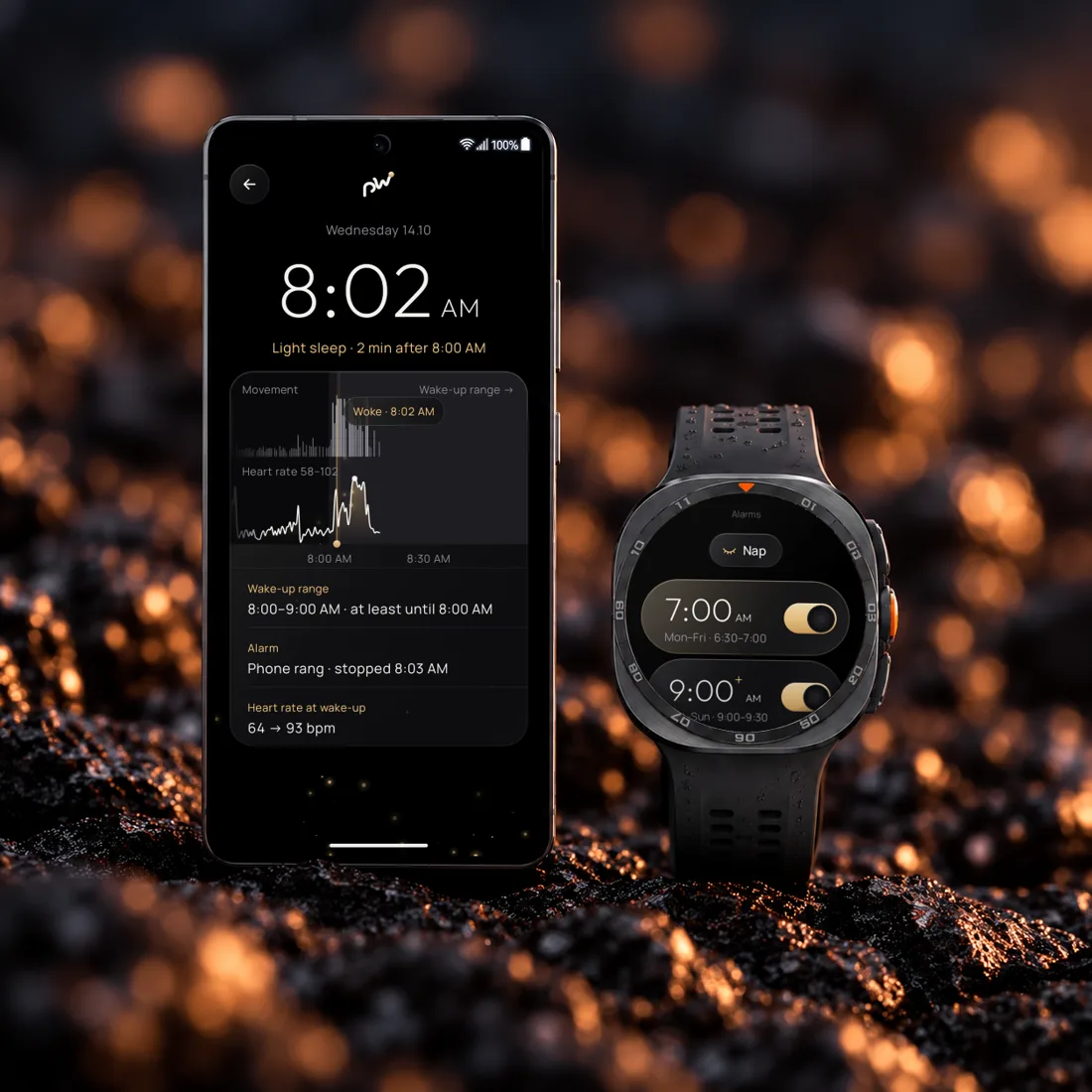
Phasewake on a phone showing this morning's wake-up chart, next to Galaxy Watch Ultra with the alarm list
A REAL MORNING

Woke you at 8:02. Latest alarm: 9:00.

Starting at 7:30, your watch measured movement and heart rate every 30 seconds. At 8:02, it detected a promising moment to wake you and triggered the alarm 58 minutes before your latest wake-up time.

Movement measured every 30 seconds Heart rate: 55–105 bpm Alarm triggered at a suitable moment
SHARING A BED?

Tracks your sleep, not your partner's

Unlike microphone-based sleep apps, Phasewake measures movement and heart rate directly from your wrist. A gentle vibration helps wake you without unnecessarily disturbing your partner.

  • No microphone or audio recording
  • Choose gentle, normal, or strong vibration
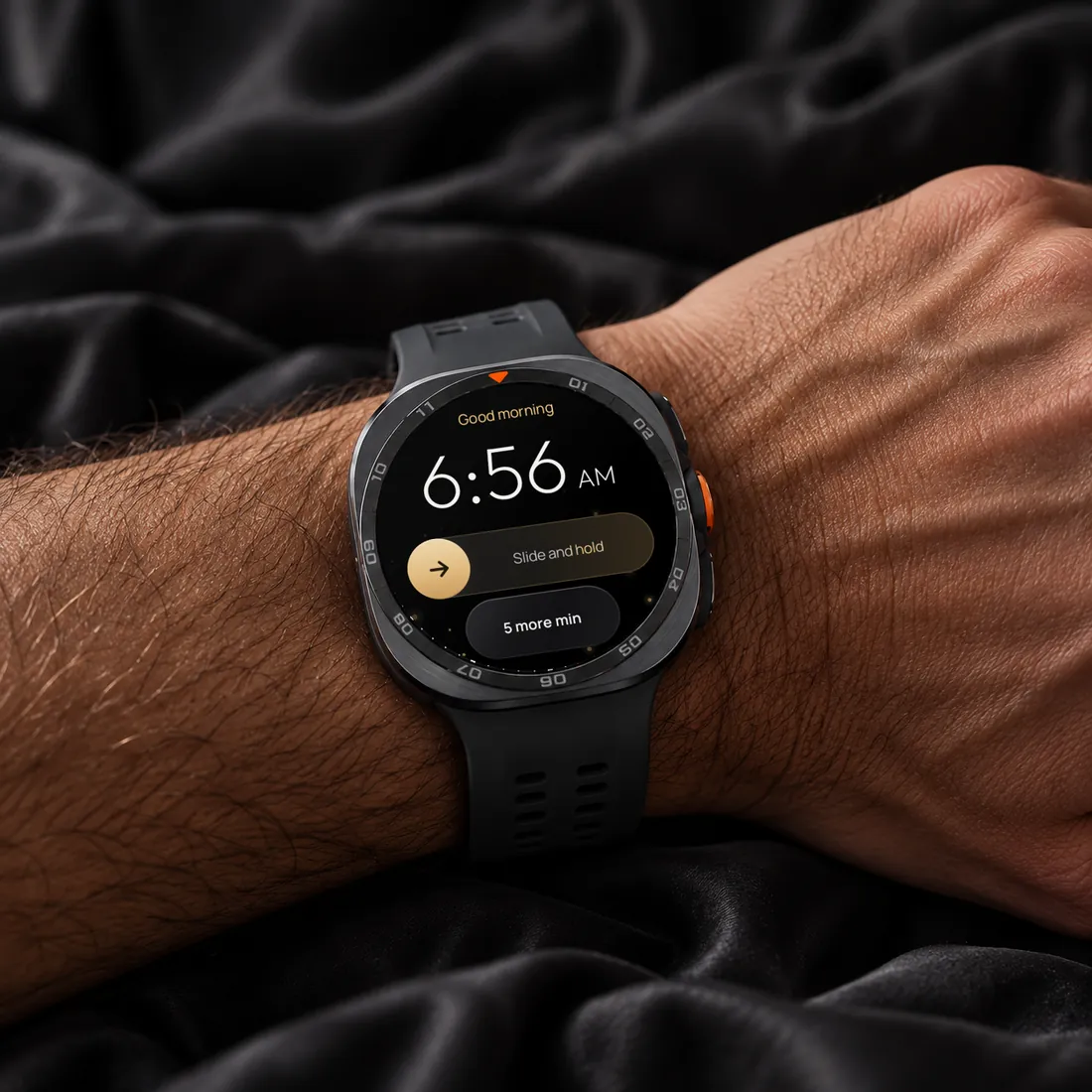
Galaxy Watch Ultra on a wrist vibrating with the Phasewake alarm
STRUGGLE TO GET UP?

Phone in another room? Even better.

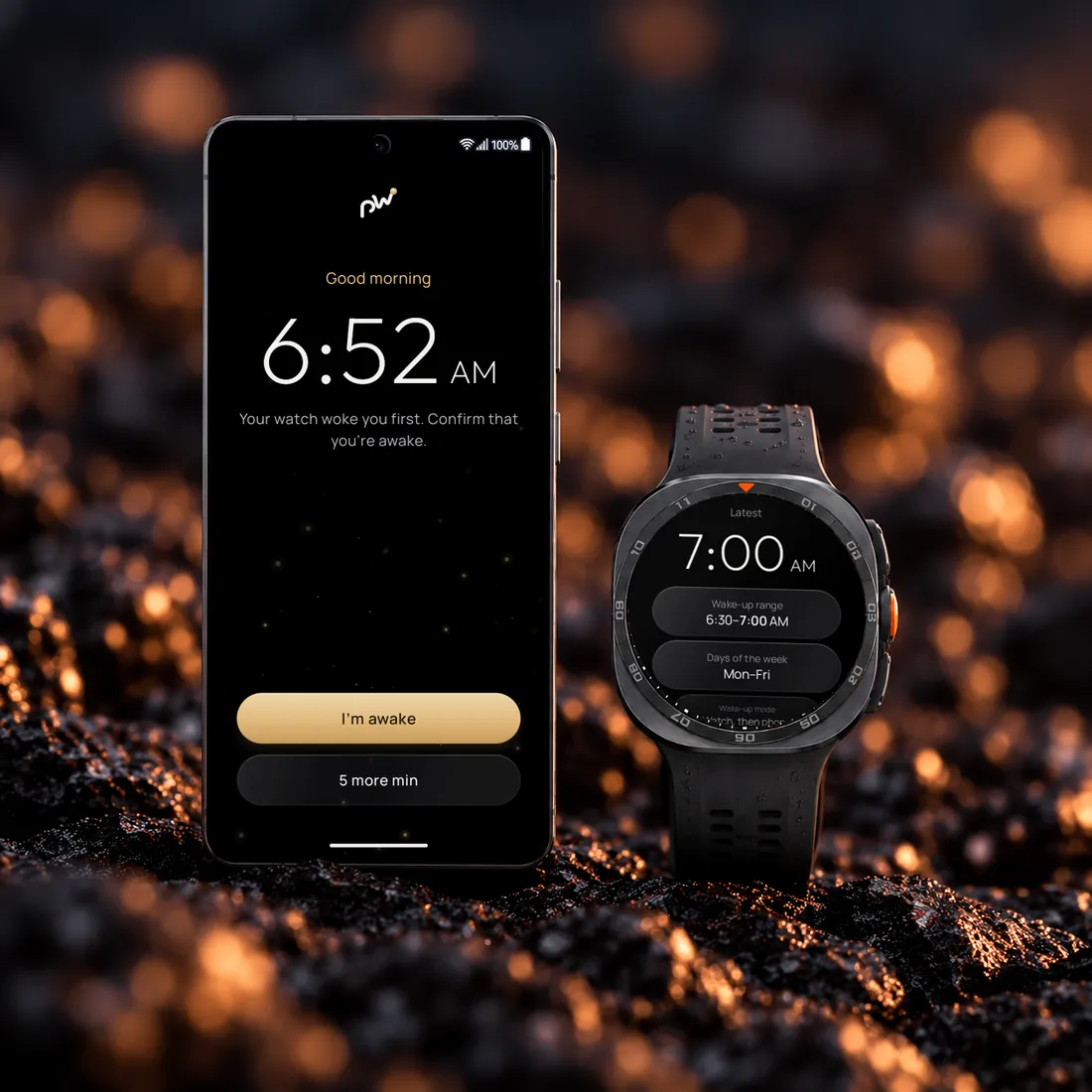
Your watch finds a suitable wake-up moment, but your phone sounds the alarm. Leave it in another room, and you'll have to get out of bed to turn it off. You can still manage your alarms directly from your watch.

  • Watch only, phone only, or watch followed by phone
  • Adjust alarm times and wake-up windows on your watch
Phone ringing with Phasewake next to Galaxy Watch Ultra showing alarm settings
STAY-AWAKE CHECK

Fell back asleep? Your watch checks.

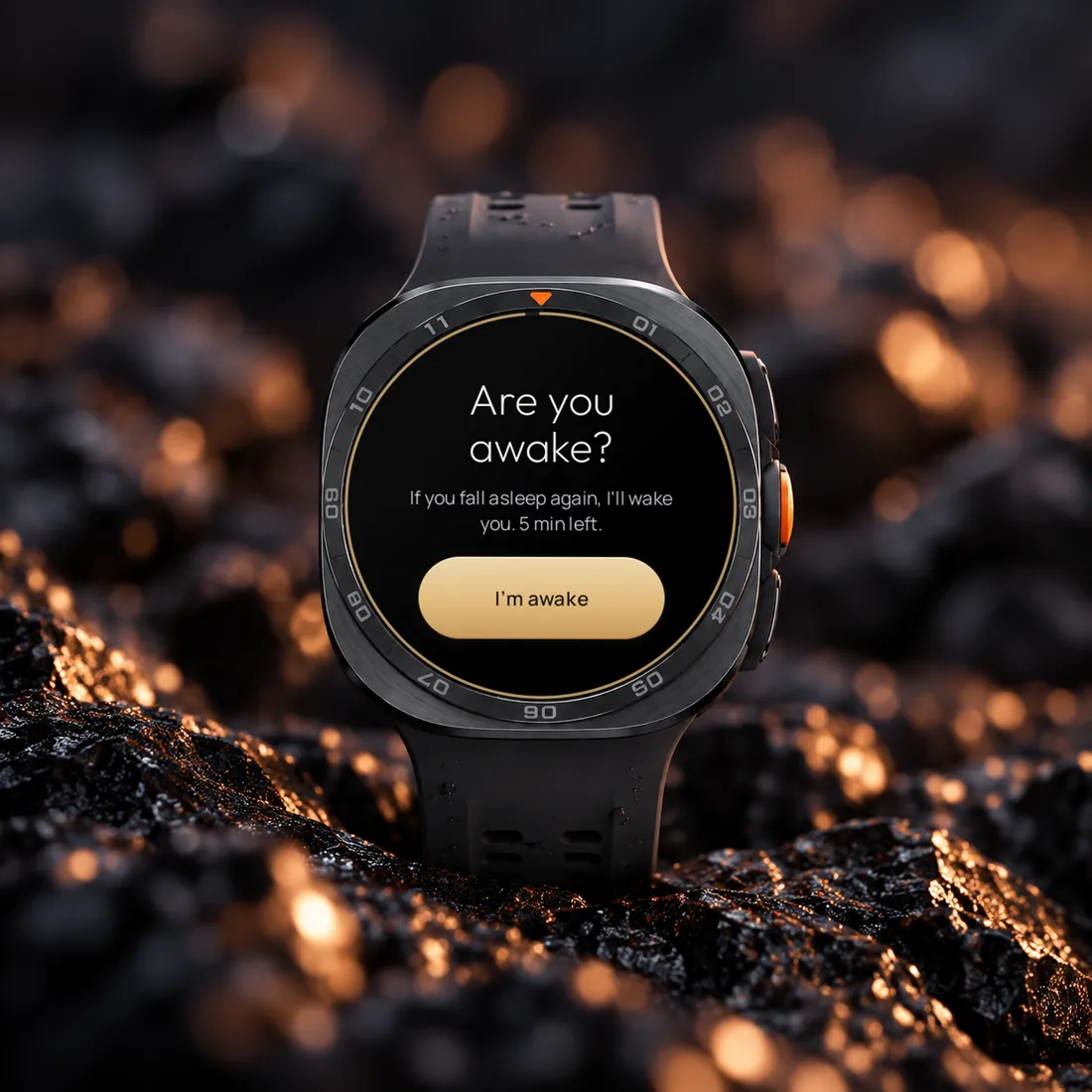
After you dismiss the alarm, your watch asks, “Are you awake?” and monitors your movement for five minutes. If it detects no movement or steps, the alarm goes off again.

  • Confirm you're awake with one tap
  • Turn off the check in settings if you prefer
Galaxy Watch Ultra asking: Are you awake?
PEACE OF MIND

A backup alarm is always ready

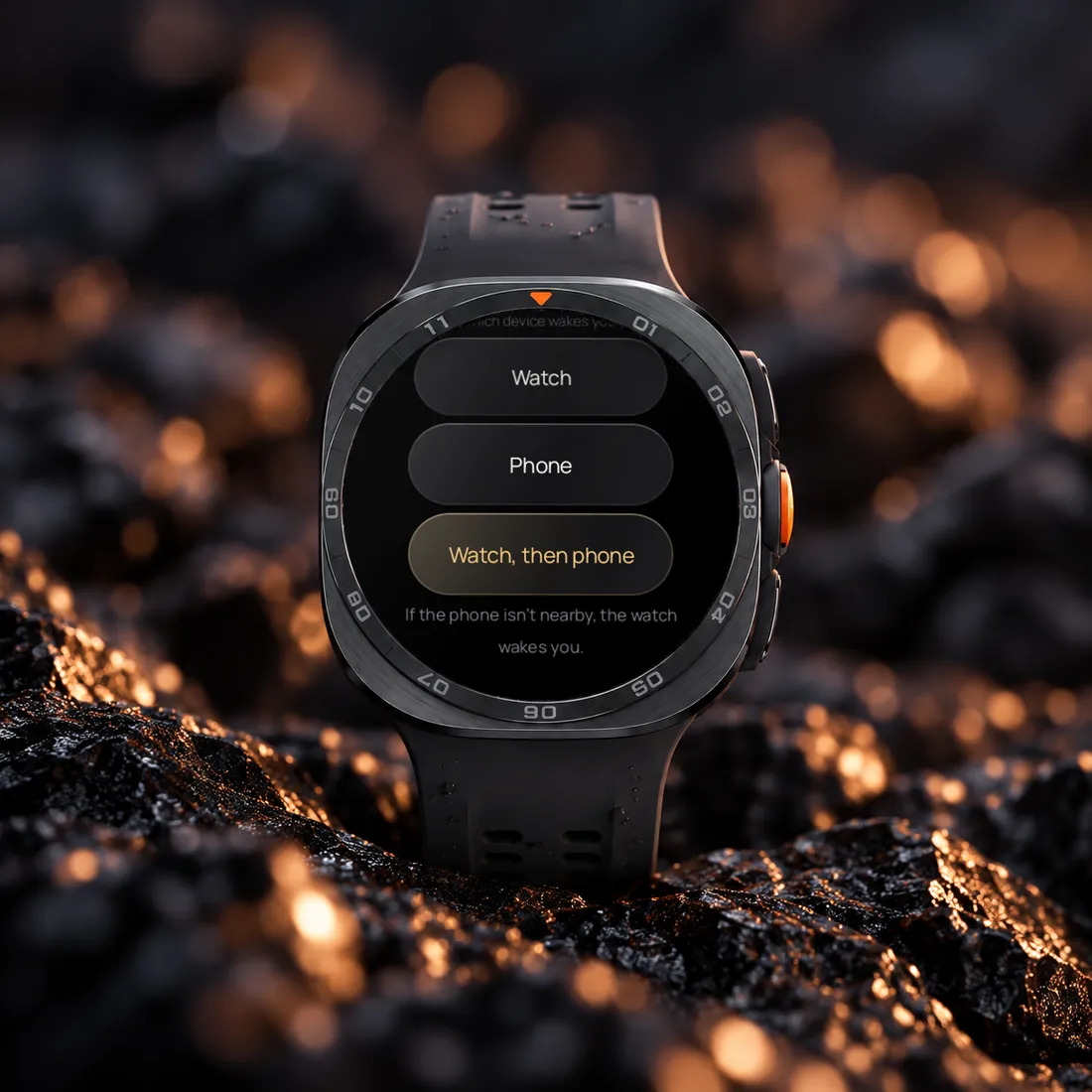
If no suitable wake-up moment is detected, the alarm goes off at your latest scheduled time. If your phone is unavailable or its battery is dead, your watch can wake you instead.

  • Your latest wake-up time is also set as a regular alarm
  • Your watch can wake you without a phone connection
Galaxy Watch Ultra: choose which device wakes you
NEW · POWER NAP

A nap that ends when it should

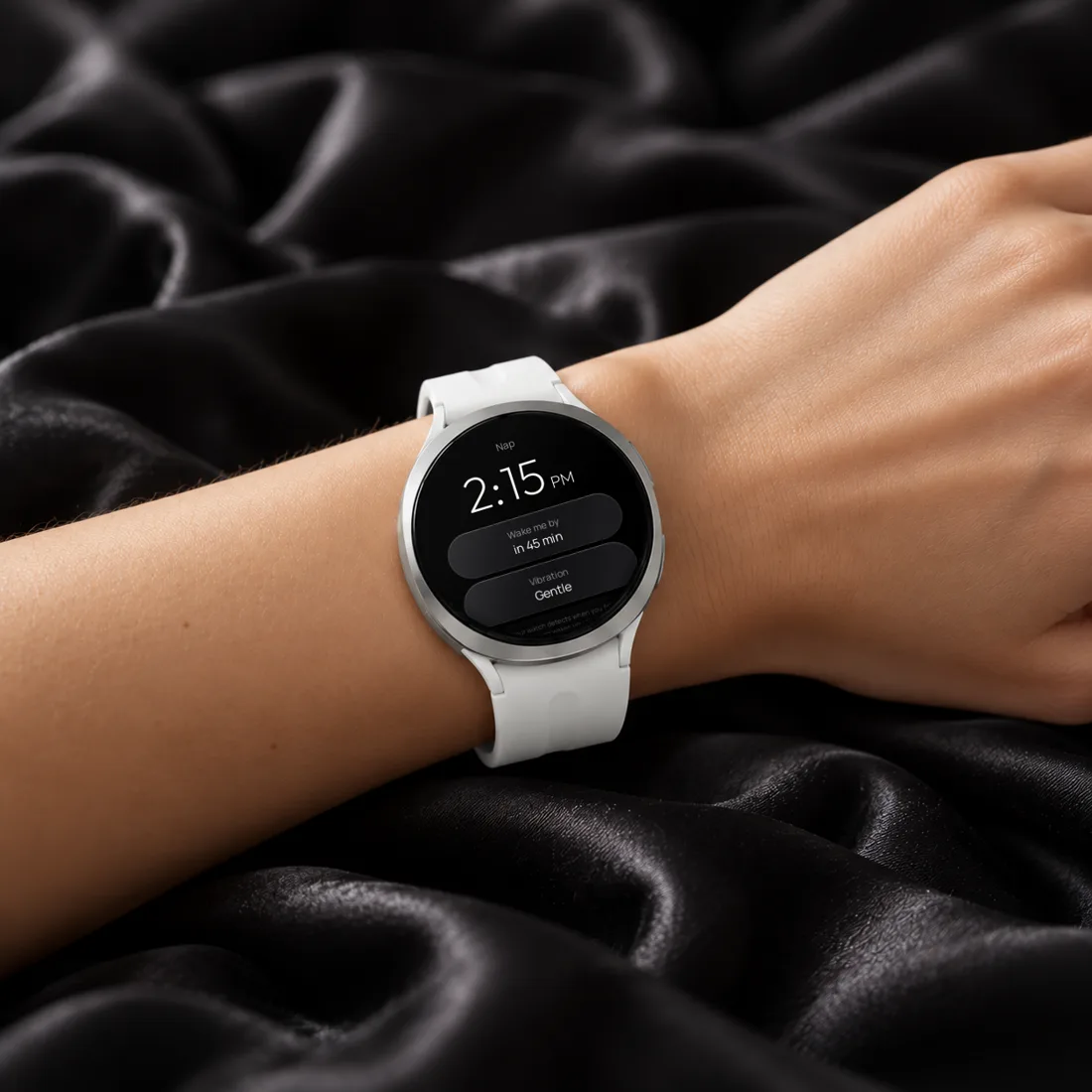
Start a nap directly from your watch and get comfortable. Phasewake estimates when you fall asleep and aims to wake you about 20 minutes later. If sleep isn't detected, your alarm goes off at the latest time you've chosen.

  • Wake approximately 20 minutes after falling asleep
  • Set a 30, 45, or 60-minute maximum
  • Start a nap with one tap
Galaxy Watch on a wrist with the Phasewake nap screen
YOUR WAKE-UP HISTORY

See how you've been waking up

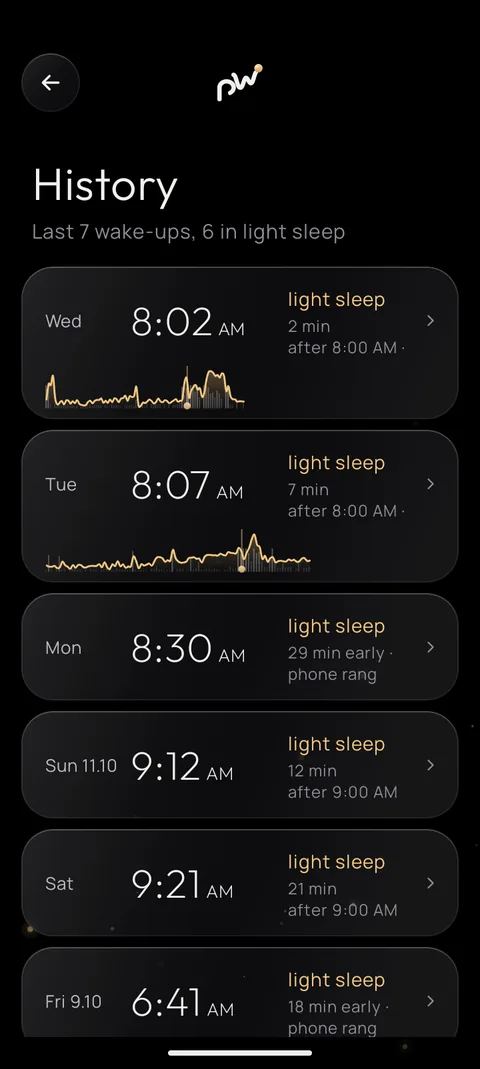
Every alarm with a wake-up window creates a chart showing your heart rate, movement, and the moment your watch chose to wake you. Review your recent mornings and see how often Phasewake found a suitable moment.

  • Heart rate before and during wake-up
  • Data stays on your watch and phone
History in the app: the last seven mornings with a small chart for each
PRIVATE BY DESIGN

Your nights are nobody else's business

Phasewake requires no account and never uploads your sleep data to its own servers. Your watch and phone communicate directly, and sensors are active only around your scheduled alarm or during a nap you start.

  • No account required
  • No ads or tracking
  • Sensors don't run all night
  • Your data stays on your devices
HOW IT WORKS

Set your window. Sleep. Wake more gently.

  1. 1

    Set your wake-up window

    Choose your alarm time and a window of up to 60 minutes in which your watch can look for a better moment to wake you.

  2. 2

    Your watch starts monitoring

    Thirty minutes before your wake-up window, your watch begins measuring movement and heart rate every 30 seconds to estimate your resting heart rate for the night.

  3. 3

    Wake at a better moment

    Phasewake looks for signs of lighter sleep within your chosen window. If no suitable moment is detected, your backup alarm goes off at the latest scheduled time.

WatchGalaxy Watch4 and newerIncluding Galaxy Watch Ultra. Wear OS 4 or newer.
PhoneAndroid 10 or newerFor history, phone alarms and settings.
Languages8 languagesEnglish, German, Spanish, French, Portuguese, Estonian, Korean, Japanese.

Frequently asked questions

Does Galaxy Watch have a smart alarm?
Galaxy Watch tracks your sleep, but its standard alarm goes off at a fixed time. Phasewake looks for a better moment to wake you within the time window you choose.
Which watches are supported?
Galaxy Watch4 and newer models, including Galaxy Watch Ultra, running Wear OS 4 or later. You'll also need an Android phone running Android 10 or later.
How much battery does it use?
Sensors start measuring 30 minutes before your wake-up window and remain active briefly after the alarm. During naps, they're used only for the duration of your nap. By avoiding continuous overnight monitoring, Phasewake helps reduce battery usage.
How does the power nap work?
Choose a maximum nap duration of 30, 45, or 60 minutes. Your watch monitors movement and heart rate to estimate when you fall asleep. It aims to wake you approximately 20 minutes later. If sleep isn't detected, the alarm goes off at your selected latest time.
Will it wake my partner?
A gentle vibration on your wrist is generally less likely to disturb your partner than an audible alarm. If you choose your phone, it will sound a regular alarm.
Is my sleep data uploaded anywhere?
No. Your sleep measurements and wake-up history stay on your watch and phone. Phasewake requires no account and does not upload this data to its own servers.
Can I get a refund?
You can request a refund through Google Play. Approval depends on Google's refund policy. If more than 48 hours have passed since your purchase, you can contact us at info@dtbaltic.ee.

More help on the support page →

Better mornings are coming

Coming toGoogle Play in November